 BubCub
 Beatwise
Know your stress load, from your heart.
Beatwise reads your heart rate variability and tells you each day, in plain words, whether your body is within your own normal or carrying more load.
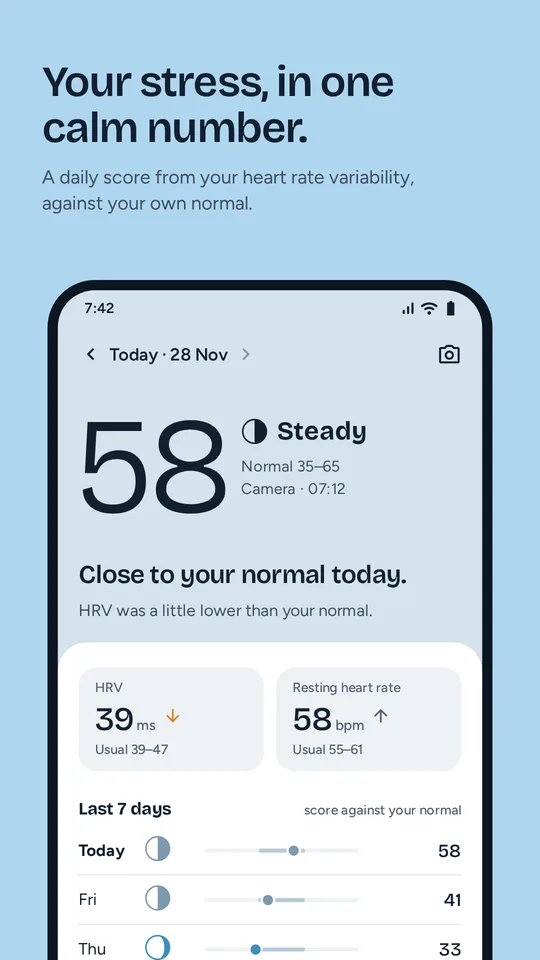
Your normal, not an average.
Heart rate variability is personal. Beatwise compares you only with yourself.
Connect or check
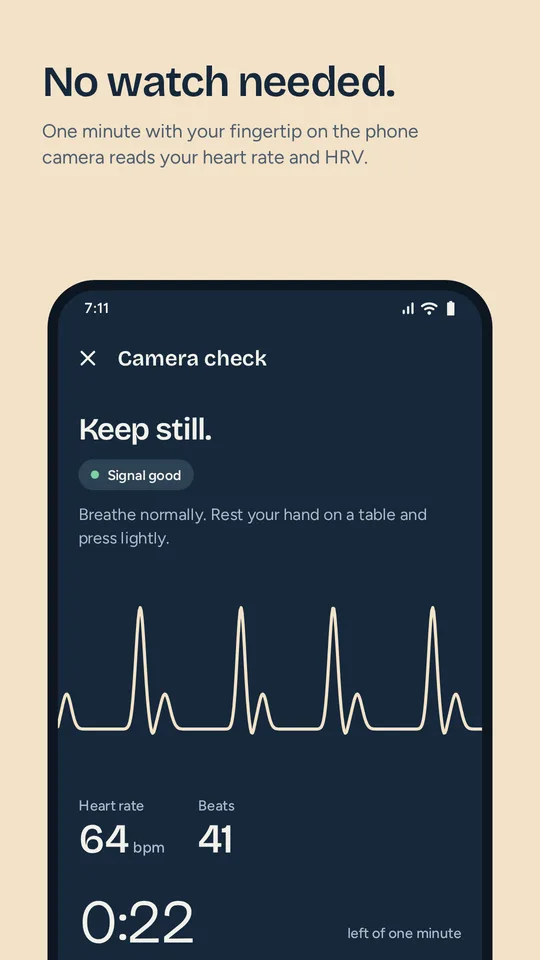
Read from Apple Health or Health Connect, so your watch does the work. No watch? A one-minute fingertip check with your phone's camera works too.
Learn your normal
Over the first two weeks, Beatwise learns your usual range, separately for each source.
Read your day
Each morning you get a score, a plain verdict, and what is driving it: HRV, resting heart rate and sleep.
A calm look at your day.
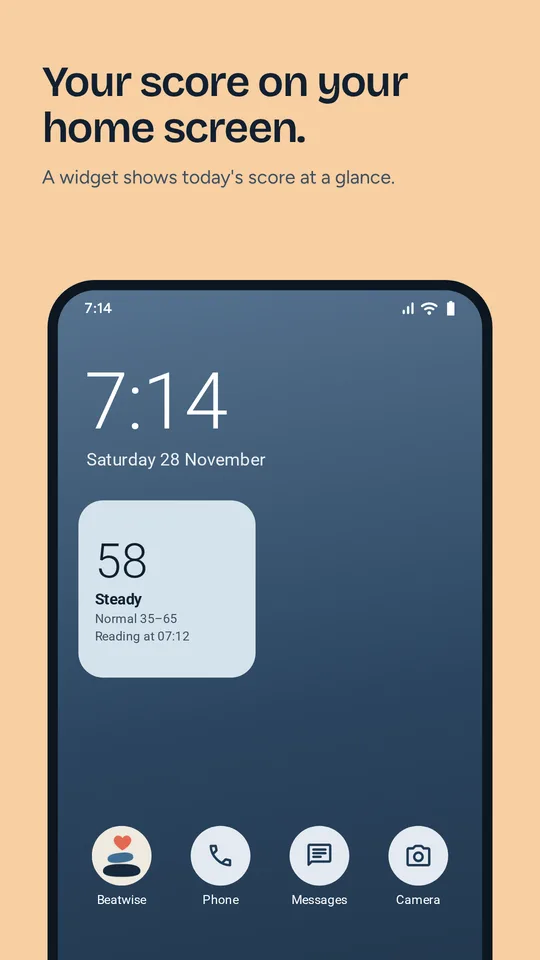
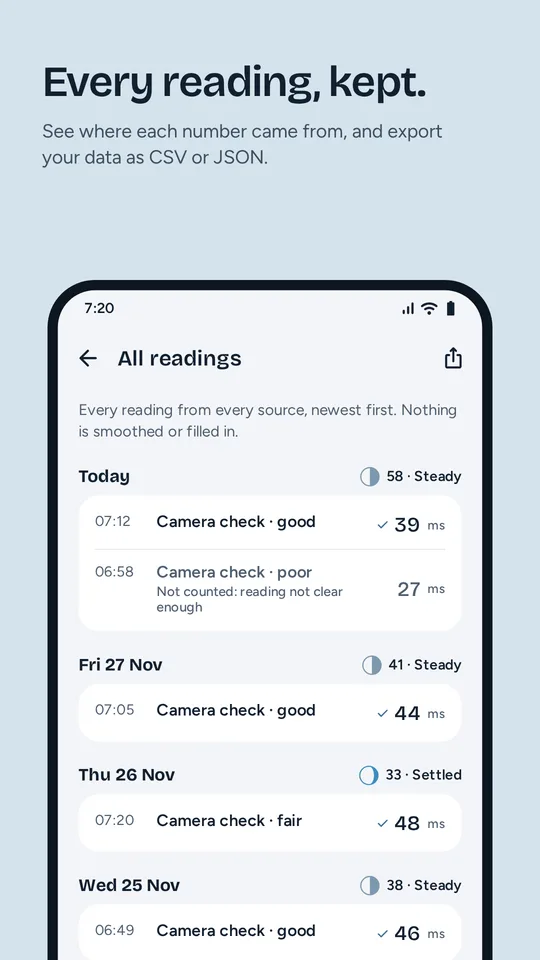
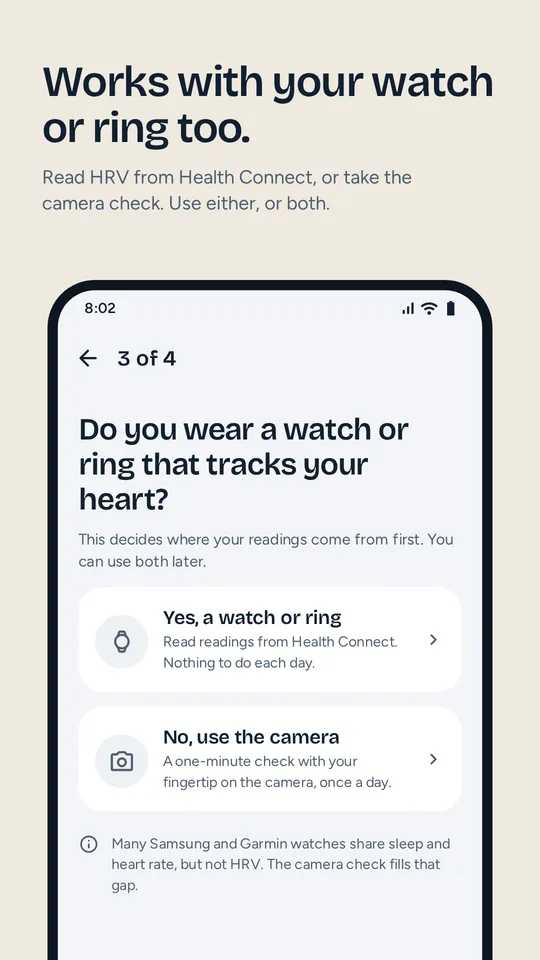
Everything it needs, nothing it does not.
- Compared to youA score against your own baseline, with the range you usually sit in.
- Watch, ring or cameraRead from Apple Health or Health Connect, or take a one-minute camera check.
- Every reading shownA log of every reading, with the ones left out greyed and the reason why.
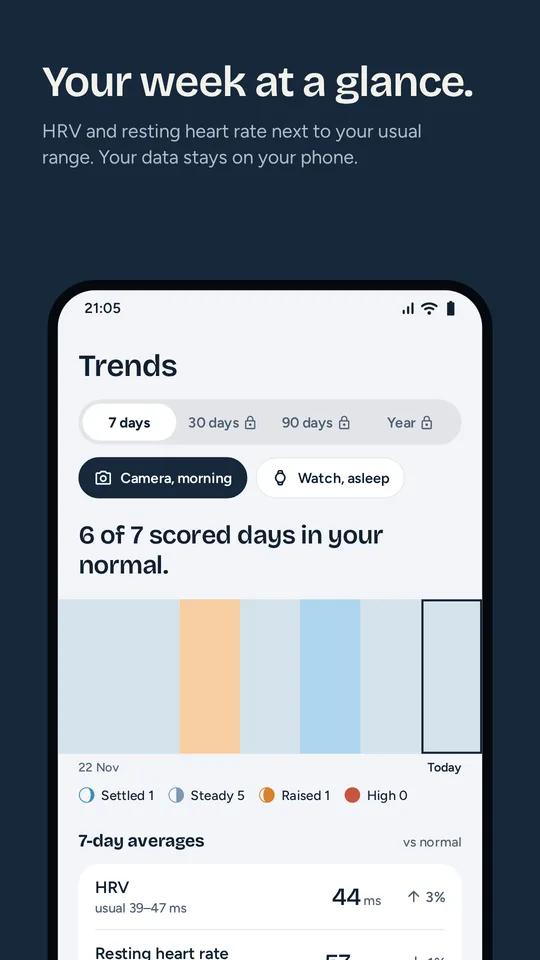
- TrendsSee how the last week compares to your normal, and longer views with Pro.
- WidgetsYour score on the home screen, and on the iPhone Lock Screen.
- No accountOpen it and start. Export your data as CSV or JSON with Pro.
Your heart data stays on your phone.
No account, no server, no analytics and no ads. Health data is read with your permission, never written, and never leaves the device.
Questions and help.
Do I need a watch?
No. A watch that writes heart rate variability to Apple Health or Health Connect gives the most readings, but a camera check with your fingertip over the lens works on its own.
Why is there no score yet?
Beatwise needs about two weeks of readings from one source to learn your normal. Until then it shows your readings while it learns.
Where is my data, and how do I delete it?
Only on your phone. It is not backed up to iCloud or Google, so deleting the app deletes your data. Export it first if you want a copy.
How do I restore or cancel Pro?
Tap Restore on the Pro screen in the app. To cancel, open your subscriptions in the App Store or Google Play settings.
Is Beatwise a medical device?
No. Beatwise is a wellness app. It does not diagnose, treat or prevent any condition. Talk to a doctor about any health concern.
Still stuck?
Email us and a person will reply. Tell us your phone model and what you were doing.